

Retro3D_Pottery Kiln PSX
3D
Weapons
Retro 3D
Interior
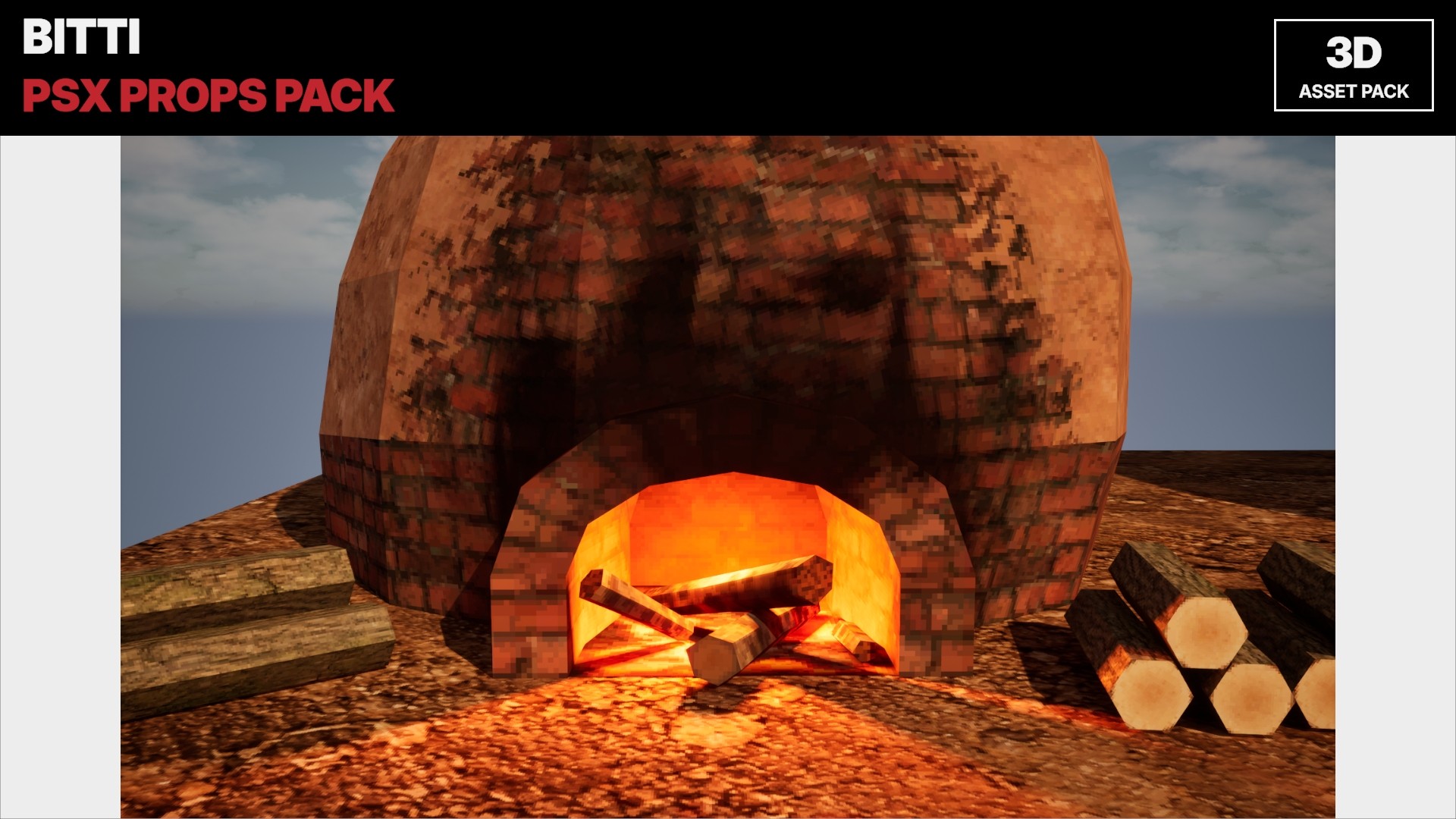
PSX-style brick pottery kilns, fired and cold, with pottery sets and ground tiles
Available on
Overview
- Explore more BITTI assets at BITTI Studio: https://bittistudio.com/- For BITTI asset types, usage guidelines, licensing and FAQs, see the BITTI Asset Guide: https://bittistudio.com/guide
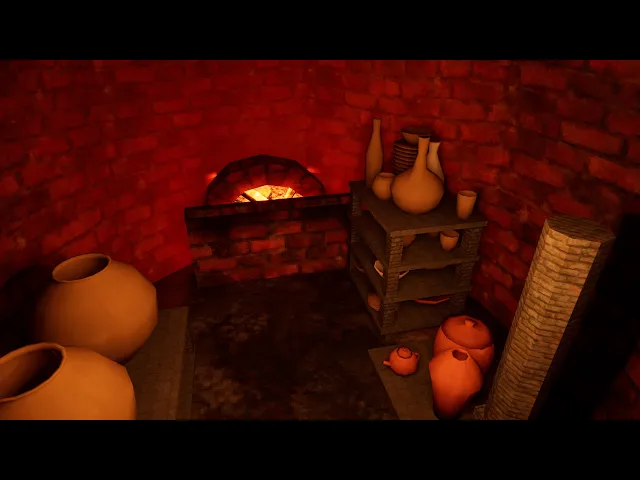
This pack contains 3D pottery kilns in a PSX style: a fired kiln with a burning firebox, unfired pottery inside and firewood stacks, a cold empty kiln, three sets of fired pottery on shelves, and ground tiles. The kilns can be entered and their doors open and close. A good fit for pottery workshops, rural villages, abandoned farms, survival games and retro horror scenes.
The video was recorded in Unreal Engine.
---------------------------------------------------------------------------------------------------------
Technical Details
- Total Unique Assets: 7 (2 kilns, 3 pottery sets, 2 ground pieces)
- File Format: FBX
- Texture Resolution: 1024x1024 (kilns, ground), 256x256 (door, firewood), 128x128 (pottery, shelves)
- Collision included
- Door open / close animation
Recommended Uses
- Environment props
- Pottery workshops and craft villages
- Rural, farm and countryside scenes
- Retro horror and survival games
- PSX-style games
- Compatible with Unity, Unreal, Godot, Blender and any FBX-based pipeline
Engine Notes
- Use Point / Closest texture filtering for the intended look.
- Collision included: convex UCX_ collision pieces inside the Models_Collision versions (automatic in Unreal, a few clicks in Unity) with a name list.
- Each model has one root object. Move the root to move the whole group.
- Kiln doors include an open / close animation.
------------------------------------------------------------------------------------------------
Install (Unity 6, URP)
1. Open your Unity 6 project (Universal Render Pipeline).
2. Assets > Import Package > Custom Package... and select the .unitypackage.
3. Click Import. Everything goes into Assets/BittiStudio/Retro3D_Pottery Kiln PSX.
4. Open a demo scene from FullScene/Demo or Individual/Demo.
Use the prefabs in the Prefabs folders. Collision and the door animation are
already set up. Press Play to see the doors open.
Install (Unreal Engine 5.6+)
1. Close Unreal Editor.
2. Extract the zip.
3. Copy the Content/PSX_Kiln folder into your project's Content folder.
4. Open your project → Content Browser → PSX_Kiln/Maps.
Don't rename the PSX_Kiln folder outside of Unreal.
Technical Details
AI Generated
Yes
BITTI Asset Q&A & Usage Guide
Related Assets
Other assets in the same category that might fit your project.
View All Assets
View All Assets